Can an AI Receptionist Actually Book Appointments? Here Is Exactly How It Works
Yes, an AI receptionist can book appointments in real time. Here's exactly how it works with Google Calendar, what callers experience, and how it handles edge cases.
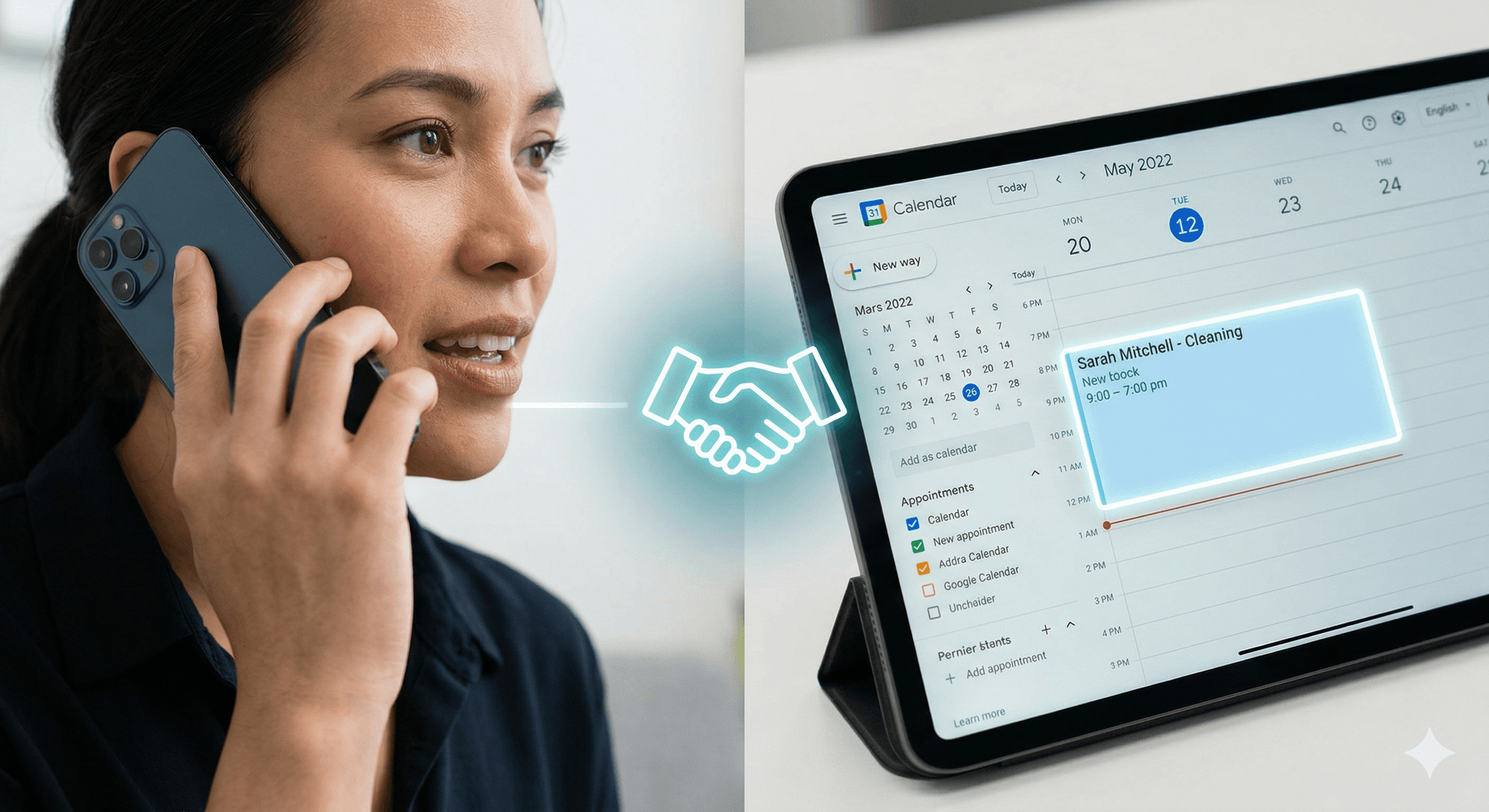
Yes. An AI receptionist can book appointments in real time, directly into your calendar, while the caller is still on the phone. ZenOp connects to your Google Calendar, checks your live availability, offers open time slots to the caller, confirms the booking, and sends them a text with the details before they even hang up.
This is not a "request an appointment" form that someone has to review later. It is actual booking, the same thing a human receptionist does, except it works 24/7 and never double-books.
TL;DR
- An AI receptionist books appointments directly into your Google Calendar in real time during the phone call (additional calendar integrations are on the roadmap)
- It checks your live availability before offering time slots, so double-booking is prevented by real-time conflict detection
- Callers receive an instant SMS confirmation with appointment details, plus reminders the day before and morning of the appointment
- The AI handles rescheduling and cancellation by phone too, not just new bookings
- It works for any business that uses a calendar: dental offices, salons, law firms, contractors, fitness studios, consultants, and more
How the Booking Flow Works (From the Caller's Perspective)
Here is what actually happens when someone calls a business that uses ZenOp.
Step 1: The AI answers the call. On the first ring. No hold music, no "press 1 for scheduling." Just a natural greeting: "Thanks for calling Downtown Dental, this is the office assistant. How can I help you?"
Step 2: The caller says they want an appointment. They can say it however they want. "I need a cleaning," "Can I schedule a checkup," "Do you have anything open this week?" The AI understands all of these.
Step 3: The AI asks qualifying questions. Depending on how the business is configured, it might ask: What service do you need? Are you a new or returning patient? Do you have a preferred day or time? These questions are customizable per business.
Step 4: The AI checks the calendar. This happens in seconds. The AI queries Google Calendar for real-time availability, filters by business hours, appointment type, and duration, and identifies open slots.
Step 5: The AI offers specific times. Not "we'll call you back with availability." Actual times: "I have Tuesday at 10am and Thursday at 2:30pm. Which works better for you?"
Step 6: The caller picks a slot. The AI confirms the details back to them: date, time, service, duration.
Step 7: The appointment is booked. Added to Google Calendar instantly. The time slot is blocked so nobody else can take it.
Step 8: The caller gets a confirmation text. While still on the call or seconds after hanging up, they receive an SMS with the appointment date, time, location, and any preparation instructions.
The whole process takes about 90 seconds. Faster than most humans.
Sample Dialogue: Booking a Dental Cleaning
Here is a real example of what the conversation sounds like. This is a caller booking a routine cleaning at a dental office.
AI: Thanks for calling Riverside Family Dental, this is the office assistant. How can I help you today?
Caller: Hi, I need to schedule a teeth cleaning.
AI: Of course, I'd be happy to help you book a cleaning. Have you been to Riverside Family Dental before?
Caller: No, this would be my first time.
AI: Welcome! We'd love to have you. For new patients, we do a cleaning along with an initial exam, and that appointment runs about an hour. Do you have a day of the week that works best for you?
Caller: Um, sometime next week would be great. I'm pretty flexible.
AI: Let me check what we have open next week. I have Tuesday the 15th at 9am, Wednesday the 16th at 1pm, and Friday the 18th at 10:30am. Any of those work for you?
Caller: Wednesday at 1 works.
AI: Perfect. I have you down for a new patient cleaning and exam on Wednesday, April 16th at 1pm. Can I get your full name?
Caller: Sarah Mitchell.
AI: Great, Sarah. And what's the best phone number to reach you at? I'll send you a confirmation text with all the details.
Caller: 555-0142.
AI: Got it. You're all set for Wednesday, April 16th at 1pm at Riverside Family Dental. I'm sending a confirmation text to that number right now. You'll also get a reminder a few days before your appointment. Is there anything else I can help with?
Caller: That's it, thank you!
AI: You're welcome, Sarah. We look forward to seeing you Wednesday. Have a great day!
The caller hangs up and immediately receives:
SMS: Hi Sarah! Your appointment at Riverside Family Dental is confirmed: Wed, Apr 16 at 1:00 PM. New patient cleaning & exam (60 min). 425 River Rd, Suite 100. Please arrive 10 min early to complete paperwork. Reply to this number if you need to reschedule.
That is the entire experience. No callbacks, no "someone will get back to you," no uncertainty.
What Happens Behind the Scenes
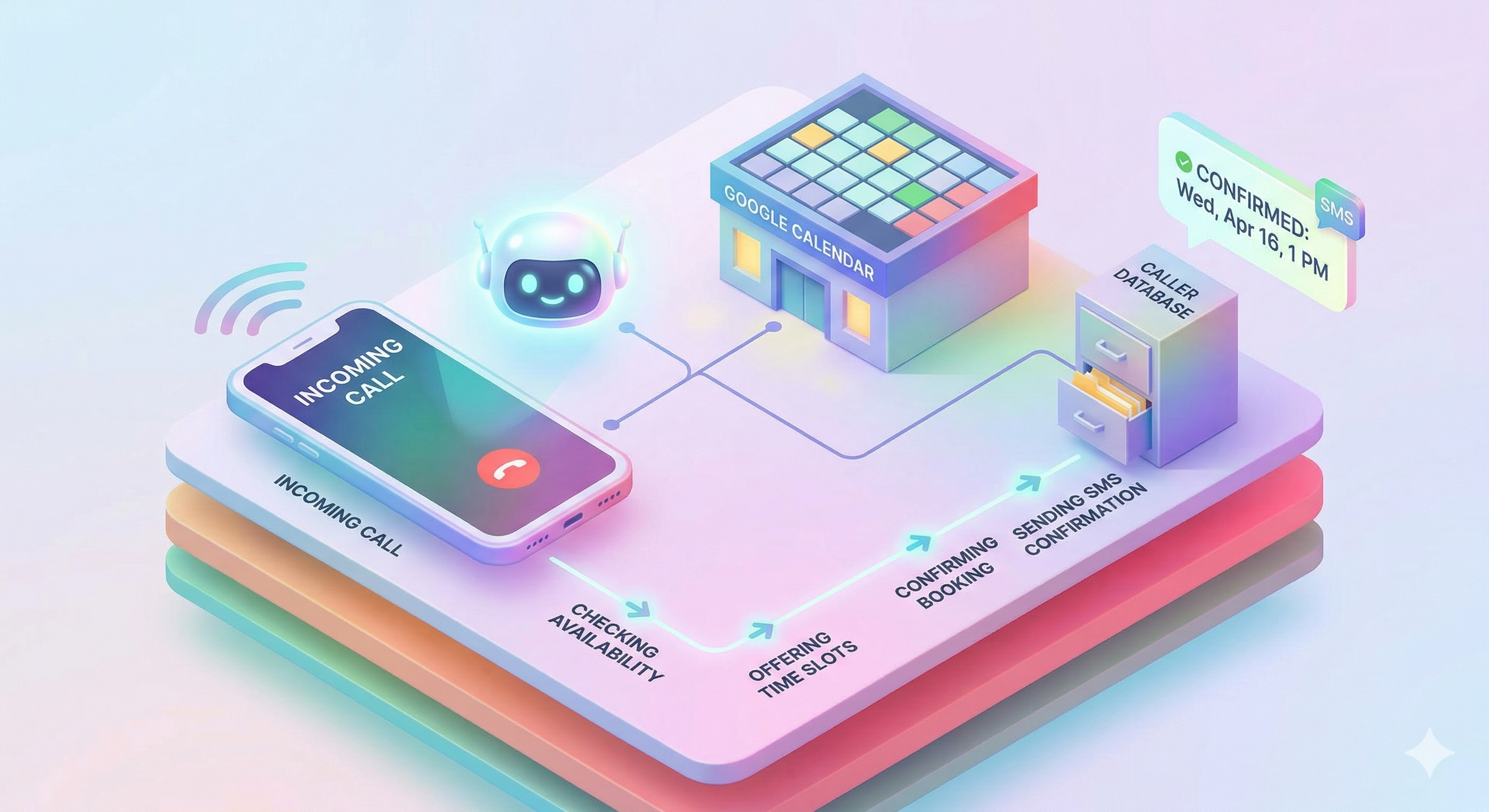
While that conversation sounds simple, there is a lot happening under the hood.
Real-time calendar query. When the AI says "let me check what we have open," it is pulling live availability from Google Calendar. It is not reading from a static list. If someone books a slot on the website five seconds before the call, that slot will not be offered.
Conflict detection. Before the appointment is written to the calendar, the system checks one more time that the slot is still open. This prevents the rare case where two people try to book the same time simultaneously.
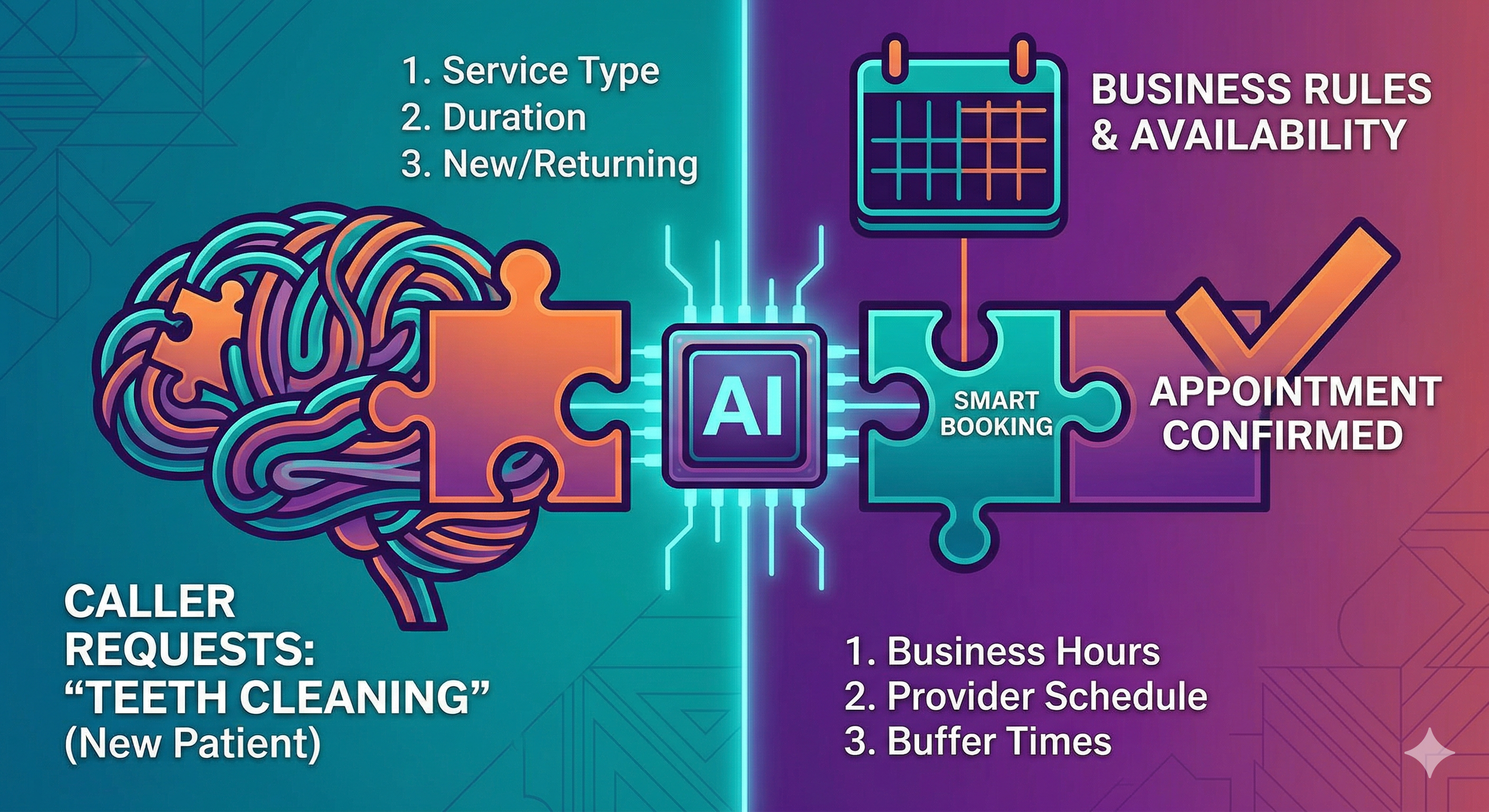
Business rules enforcement. The AI knows your business hours, lunch breaks, blocked-off times, appointment types, and durations. If you only do cleanings in the morning and consultations in the afternoon, it respects that. If a cleaning takes 60 minutes but a whitening takes 90, the AI blocks the correct amount of time.
Notification to the business owner. You receive a notification when a new appointment is booked. You see the caller's name, phone number, service type, and the time slot, all without having to answer the phone yourself.
Edge Cases: What Happens When Things Get Complicated
Real callers do not follow scripts. Here is how the AI handles the tricky situations.
No availability
Caller: Do you have anything tomorrow?
AI: Unfortunately, tomorrow is fully booked. The next available opening I have is Thursday at 11am. Would that work, or would you prefer a different day?
The AI does not just say "no." It offers the nearest alternative.
Caller wants a specific provider
Caller: I'd like to see Dr. Patel specifically.
AI: Let me check Dr. Patel's schedule. She has openings on Monday at 3pm and Wednesday at 9am. Which would you prefer?
If the business has multiple providers, the AI can filter availability by provider.
Ambiguous request
Caller: I need to come in for my teeth.
AI: Of course! Are you looking to schedule a routine cleaning, or is there a specific concern you'd like to address?
Rather than guessing, the AI asks a clarifying question. This is part of the intelligent booking system that matches callers to the right service.
Caller wants to reschedule
Caller: I have an appointment on Friday and I need to move it.
AI: No problem. I can see your appointment on Friday at 2pm. When would you like to reschedule to?
The AI can look up existing appointments, cancel them, and rebook in one call. No need to call back or wait for a callback.
Caller wants to cancel
Caller: I need to cancel my appointment next week.
AI: I understand. I'll go ahead and cancel your appointment on Tuesday at 10am. If you'd like to rebook later, just give us a call anytime. Is there anything else I can help with?
The calendar is updated immediately.
After the Booking: Confirmation and Reminders

Booking the appointment is just the beginning. ZenOp handles the entire lifecycle.
Instant confirmation text. Sent within seconds of booking. Includes date, time, location, service type, and any preparation instructions.
Reminder sequence. The caller receives automated reminders before the appointment:
- Day before: Friendly reminder with appointment details and option to confirm or reschedule
- Morning of: Final reminder a few hours before the appointment
This reminder sequence alone reduces no-shows by up to 80%. Learn more about how automated appointment reminders protect your revenue.
Easy rescheduling. Every confirmation and reminder includes a way to reschedule. Callers can reply to the text or call back, and the AI handles the change.
What Types of Appointments Can It Handle?
Any appointment that goes on a calendar. There is no industry restriction.
Healthcare: Cleanings, exams, consultations, follow-ups, therapy sessions. See how it works for dental practices and medical practices.
Beauty and wellness: Haircuts, color treatments, massages, facials, nail appointments. See the salon guide.
Professional services: Legal consultations, financial planning meetings, coaching sessions, tax appointments.
Home services: Estimates, inspections, installations, maintenance visits. Contractors and service businesses often run their entire scheduling through phone calls, which makes this a natural fit.
Fitness: Personal training sessions, class bookings, introductory consultations.
Any service business: If you have a calendar and clients call to book time on it, this works.
Comparison: AI Booking vs. Manual Booking vs. Online Widgets
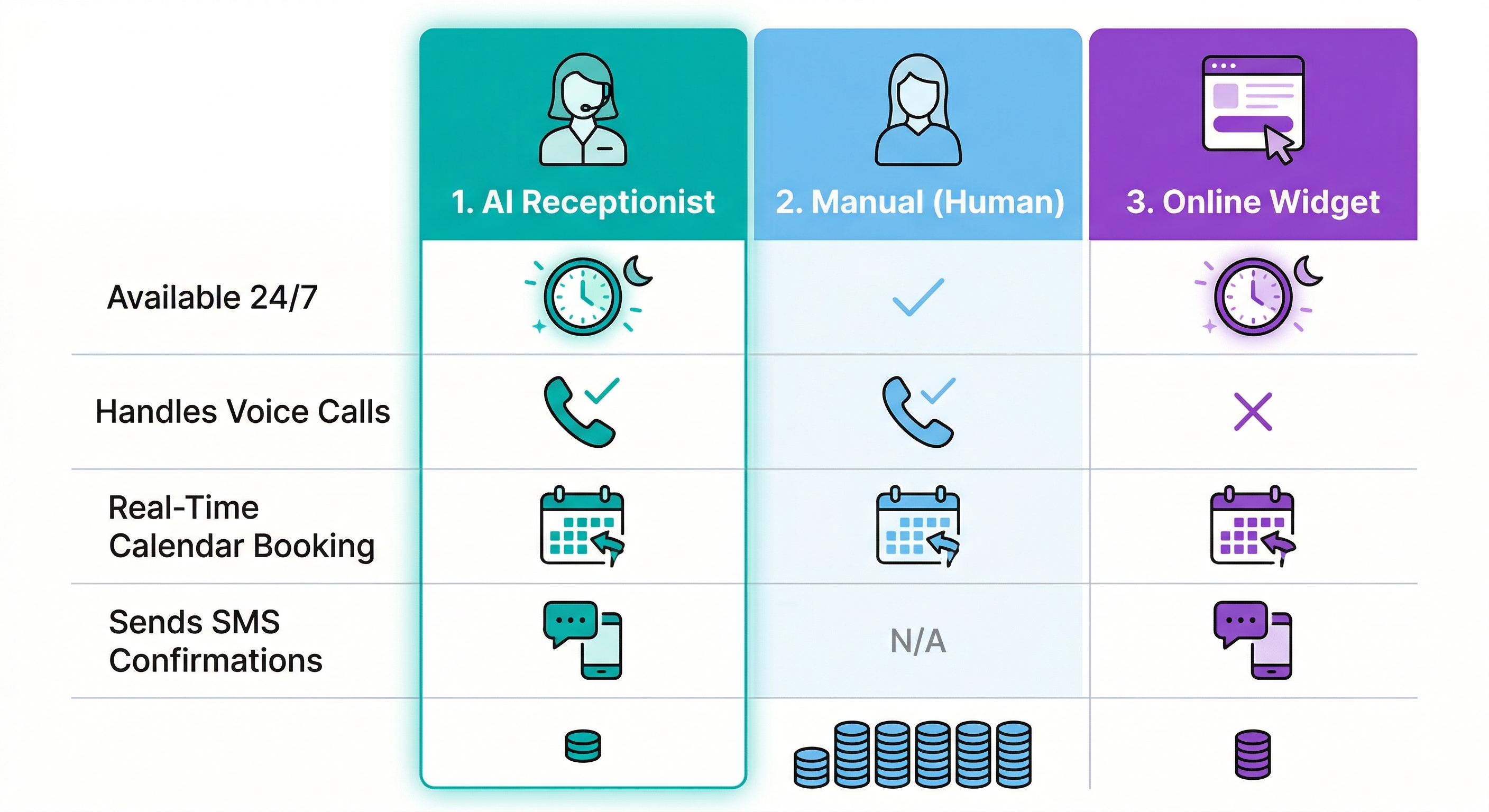
| AI Receptionist | Manual (Human) | Online Booking Widget | |
|---|---|---|---|
| Available | 24/7/365 | Business hours only | 24/7 but no voice |
| Handles phone calls | Yes | Yes | No |
| Real-time availability | Yes | Usually yes | Yes |
| Asks qualifying questions | Yes, customizable | Depends on staff | Limited (forms) |
| Prevents double-booking | Yes | Sometimes no | Yes |
| Sends confirmation text | Automatic | Manual or forgotten | Usually email only |
| Sends reminders | 3-day, 1-day, 2-hour automatic | Manual | Varies |
| Handles rescheduling | By phone or text | By phone only | Online only |
| Cost | Starting at $150/month | $2,500-4,000/month salary | $20-50/month but no calls |
| After-hours bookings | Yes | No | Online only |
Online booking widgets are useful, but they only capture the people who visit your website and click the button. Most customers still call. An AI receptionist handles both channels: callers book by phone, and you can still use an online widget for web visitors.
The biggest gap with manual booking is consistency. A human receptionist goes home at 5pm, takes lunch breaks, calls in sick, and handles multiple tasks at once. Calls that come in during off-hours go to voicemail, and 85% of those callers never leave a message. An AI receptionist answers every call on the first ring.
Frequently Asked Questions
Does the AI actually book the appointment, or just send a request? It actually books the appointment. The time slot is added to your Google Calendar in real time during the call. There is no pending request for you to approve. When the caller hangs up, the appointment is on your calendar and the slot is blocked. This is the same thing a human receptionist does, just faster.
What calendar systems does it work with? ZenOp currently integrates with Google Calendar, with additional calendar integrations on the roadmap. The integration is two-way: the AI reads your availability and writes new appointments. Any changes you make directly in Google Calendar are reflected immediately.
Can the AI handle multiple appointment types with different durations? Yes. You configure your appointment types (cleaning, consultation, follow-up, etc.) along with their durations, and the AI blocks the correct amount of time for each. A 30-minute follow-up and a 90-minute initial consultation are handled differently, and the AI knows which one to book based on the conversation.
What if two people try to book the same slot at the same time? The system checks availability at the moment of booking and performs a conflict check before writing to the calendar. If two calls happen simultaneously and both request the same slot, the first booking wins and the second caller is offered the next available time. Double-booking is effectively eliminated.
Can callers reschedule or cancel by phone? Yes. Callers can call back and say "I need to reschedule my appointment" or "I need to cancel." The AI looks up their existing appointment, makes the change, and updates the calendar. Rescheduled appointments get a new confirmation text and updated reminder sequence. Cancelled appointments free up the slot immediately.
Does it work after business hours? Yes, and this is one of the biggest advantages. The AI answers calls and books appointments 24/7, including evenings, weekends, and holidays. A caller at 9pm on a Saturday can book an appointment for Monday morning without waiting until you open. After-hours booking captures revenue that would otherwise go to a competitor. Learn more about after-hours call answering.
Your callers want appointments, not voicemail. ZenOp books them in real time, sends confirmations, and follows up with reminders so they actually show up.
Get notified when ZenOp launches in your area
We're rolling out across the US. Be the first to know when ZenOp is available for your business.
No spam. Just launch updates.