Automated Appointment Reminders: Cut No-Shows by 80%
No-shows cost businesses thousands annually. ZenOp's AI sends personalized reminders via call, text, and email, so your calendar stays full and your revenue stays predictable.
How AI-powered reminders keep your calendar full and your revenue predictable
The appointment is on the books. The time slot is blocked. Your team is ready.
And then... nobody shows up.
No-shows aren't just annoying, they're expensive. Every empty slot is lost revenue, wasted prep time, and a missed opportunity to serve someone who actually needed that appointment.
AI-powered appointment reminders solve this by sending a multi-channel confirmation sequence (email, SMS, and voice call) at timed intervals before each appointment, with one-tap confirm or reschedule options. Businesses using this approach see no-show rates drop from 20-30% to under 4%.
TL;DR
- No-shows cost the average business $117,000/year in lost revenue from empty appointment slots
- AI-powered reminders use a multi-channel sequence (email, SMS, voice call) at timed intervals with one-tap confirm/reschedule
- When someone can't make it, instant rescheduling keeps the appointment on the books instead of becoming a no-show
- Cancellation gaps are filled automatically by notifying waitlisted clients in real time
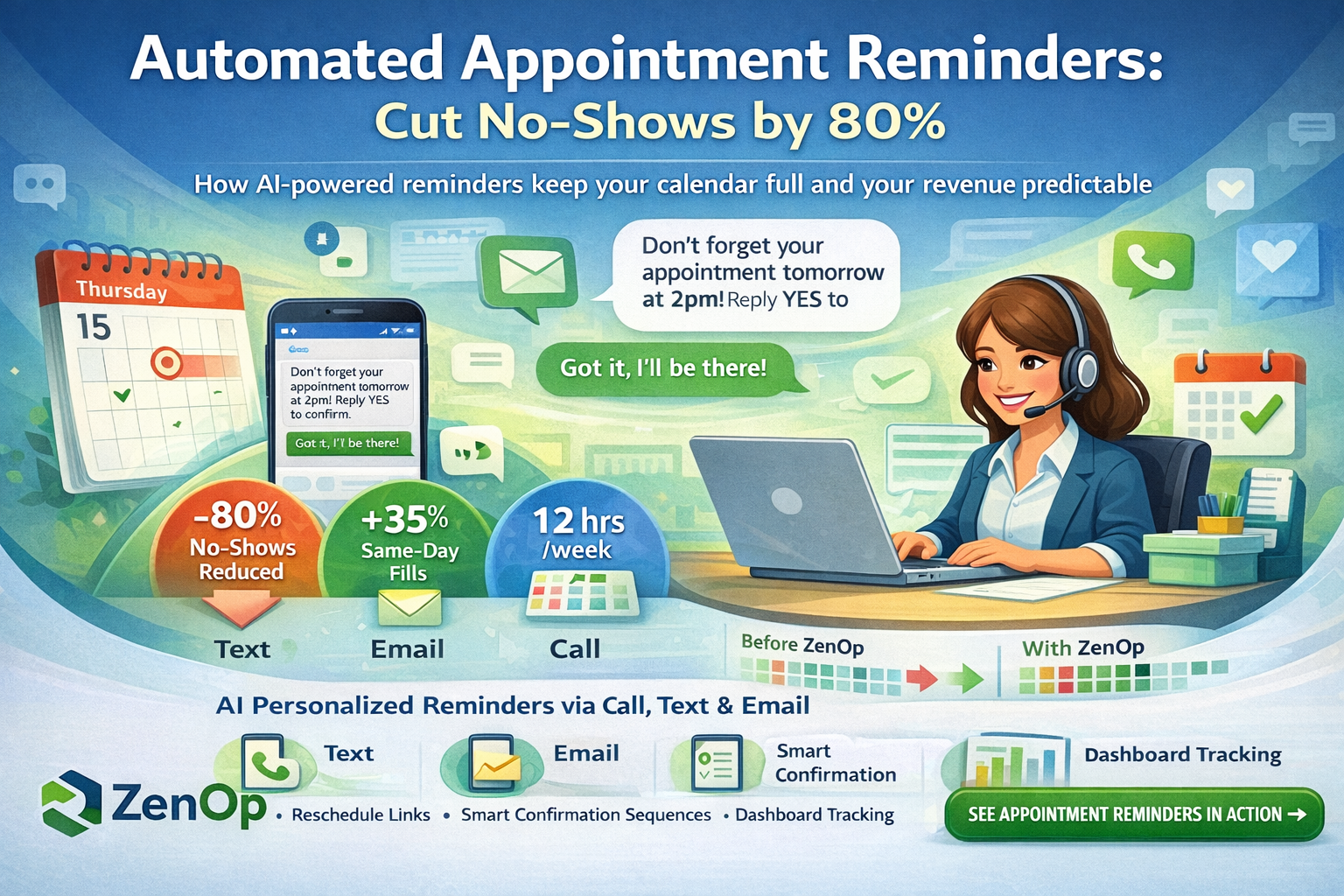
- Businesses see an 80% reduction in no-shows and a 35% increase in same-day fills
The Hidden Cost of No-Shows
Across industries, no-show rates average 10-30%. For a business running 20 appointments per day, that's 2-6 empty slots, every single day.
The math hurts:
- Average appointment value: $150
- No-shows per week: 15
- Lost revenue: $2,250/week = $117,000/year
Most businesses accept this as "just how it is." It doesn't have to be.
Why Traditional Reminders Fail
The problem isn't that businesses don't send reminders. It's how they send them:
One-size-fits-all timing. A reminder 24 hours before works for some appointments. For others, it's too early or too late.
Single channel. Email reminders get buried. Text gets ignored. Phone calls go to voicemail.
No confirmation loop. Sending a reminder isn't the same as confirming attendance. You need acknowledgment.
Manual follow-up. When someone doesn't confirm, who calls them? Usually nobody, there's no time.
How ZenOp's AI Reminders Work
Multi-Channel, Multi-Touch
ZenOp doesn't just send one reminder. It orchestrates a confirmation sequence:
48 hours before: Email with appointment details and one-click confirm/reschedule links.
24 hours before: SMS reminder with the same confirm/reschedule options.
2 hours before: For high-value appointments, an AI voice call to verbally confirm.
Intelligent Escalation
When someone doesn't confirm, ZenOp doesn't give up:
SMS (24h): "Hi Sarah, just confirming your dental cleaning tomorrow at 2pm. Reply YES to confirm or RESCHEDULE to pick a new time."
[No response after 4 hours]
AI Call: "Hi Sarah, this is a courtesy call from Downtown Dental to confirm your cleaning appointment tomorrow at 2pm. Can I confirm you'll be there?"
Easy Rescheduling
The goal isn't just confirmation, it's keeping the appointment. When someone needs to reschedule, ZenOp handles it instantly:
Patient: "Actually, can I move it to Thursday?"
AI: "Of course! I have openings at 10am, 1pm, and 3:30pm on Thursday. Which works best for you?"
No phone tag. No waiting for a callback. The appointment stays on the books.
Real Results
Businesses using AI-powered appointment reminders see:
- 80% reduction in no-shows (from typical 20% to under 4%)
- 35% increase in same-day fills (when cancellations happen with notice)
- 12 hours/week saved on manual reminder calls
- 23% higher show rates for new clients (who are most likely to forget)
Industry-Specific Intelligence
ZenOp's reminders adapt to your business:
Medical practices: Include pre-appointment instructions (fasting requirements, forms to bring)
Service businesses: Add technician arrival windows and what to expect
Salons & spas: Mention cancellation policies and encourage adding services
Professional services: Attach relevant documents or prep materials
The Confirmation Dashboard
See at a glance:
- Who's confirmed vs. unconfirmed
- Pending reschedule requests
- Open slots from cancellations (ready for waitlist outreach)
- Reminder delivery status across all channels
Setup in Minutes
- Connect your calendar (Google Calendar, Calendly, Acuity, or custom)
- Set your reminder timing preferences
- Customize message templates with your brand voice
- Enable, and watch no-shows drop
Stop losing revenue to empty appointment slots. ZenOp's AI reminders confirm, reschedule, and fill your calendar automatically, so you can focus on the clients who show up.
See appointment reminders in action →
Frequently Asked Questions
How do AI-powered reminders differ from basic text reminders? Basic reminders send a single text and hope for the best. AI-powered reminders use a multi-channel sequence (email, then SMS, then voice call if needed) with intelligent escalation. If someone doesn't confirm, the system follows up through a different channel. It also handles rescheduling conversationally instead of requiring the client to call back.
Can clients reschedule through the reminder? Yes. When a client replies "RESCHEDULE" to a text reminder or tells the AI voice call they need to change their appointment, the system offers available alternative times and confirms the change instantly. No phone tag required. This is a key part of intelligent booking.
What happens when someone cancels? The system immediately identifies clients on the waitlist for that time slot and sends them a text: "A sooner appointment opened up. Would you like it?" The first person to claim the slot gets it. This fills cancellation gaps that would otherwise be lost revenue.
Does it work for any type of business? Yes. Appointment reminders adapt to your business type. Medical practices can include pre-appointment instructions. Service businesses can add arrival windows. Salons can mention cancellation policies. The message templates are fully customizable. See how it works for dental practices or medical practices.
Can I customize the reminder timing? Yes. You set when reminders go out (48 hours, 24 hours, 2 hours, or any custom timing), which channels to use, and what information to include. Different appointment types can have different reminder sequences.
How does this connect to ZenOp's AI receptionist? Reminders are part of the same system that answers your calls and books appointments. When the AI books an appointment over the phone, the reminder sequence starts automatically. When a client calls to reschedule, the AI handles it and updates the reminders. It's one connected system, not separate tools. Learn more about the client portal and SMS follow-up.
Get notified when ZenOp launches in your area
We're rolling out across the US. Be the first to know when ZenOp is available for your business.
No spam. Just launch updates.